What LinkedIn Invite Counter by twl logs
This LinkedIn weekly connection limit log is LinkedIn Invite Counter by twl, version 1.0.0. It is a manual weekly log of connection invites. After you send one, you tap +1, tap +5, add a number from 1 to 50, or edit a day in this plan week. The extension does not read LinkedIn, and it does not automate LinkedIn.
A LinkedIn weekly invitation limit you choose
The cap starts at 80. You can change it. LinkedIn does not publish an official weekly number, and this extension cannot see one. The extension describes 80 as a cautious start. The plan week resets at midnight on the weekday you choose, in the timezone you choose. The weekday starts on Monday until you change it. LinkedIn may use a different window.
Days later this week stay closed. Each day stops at 500. Going past the cap warns you, and +1 still works. A badge shows the week total. Export CSV is a daily count with the current cap. Clear this week asks first and leaves the cap, weekday and timezone in place.
A LinkedIn connection limit the extension cannot see
The log only knows the number you enter. It does not count personal notes. The message counter only checks length. This page does not send invitations.
For a planning range, use the LinkedIn connection limit checker. For a schedule from a cap you type, use the weekly invitation planner. The restriction checklist is a self-assessment. The limits guide separates what LinkedIn publishes from figures people cite.
What stays in chrome.storage.local
The tally stays in chrome.storage.local on your device: the cap, the weekday the plan week starts, the timezone, and a count for each day you log. It does not keep names, profile URLs, invitation text, or page content. Nothing is sent to twl. There is no account and no analytics. The extension is not affiliated with LinkedIn.
Permissions are storage, alarms and sidePanel only. There is no linkedin.com access, no content script, no network request, and no tracking.
- storage
- alarms
- sidePanel
What the weekly log looks like
These are the 1280 by 800 screenshots from LinkedIn Invite Counter by twl, version 1.0.0. The numbers are an example log, not a reading of a LinkedIn account.
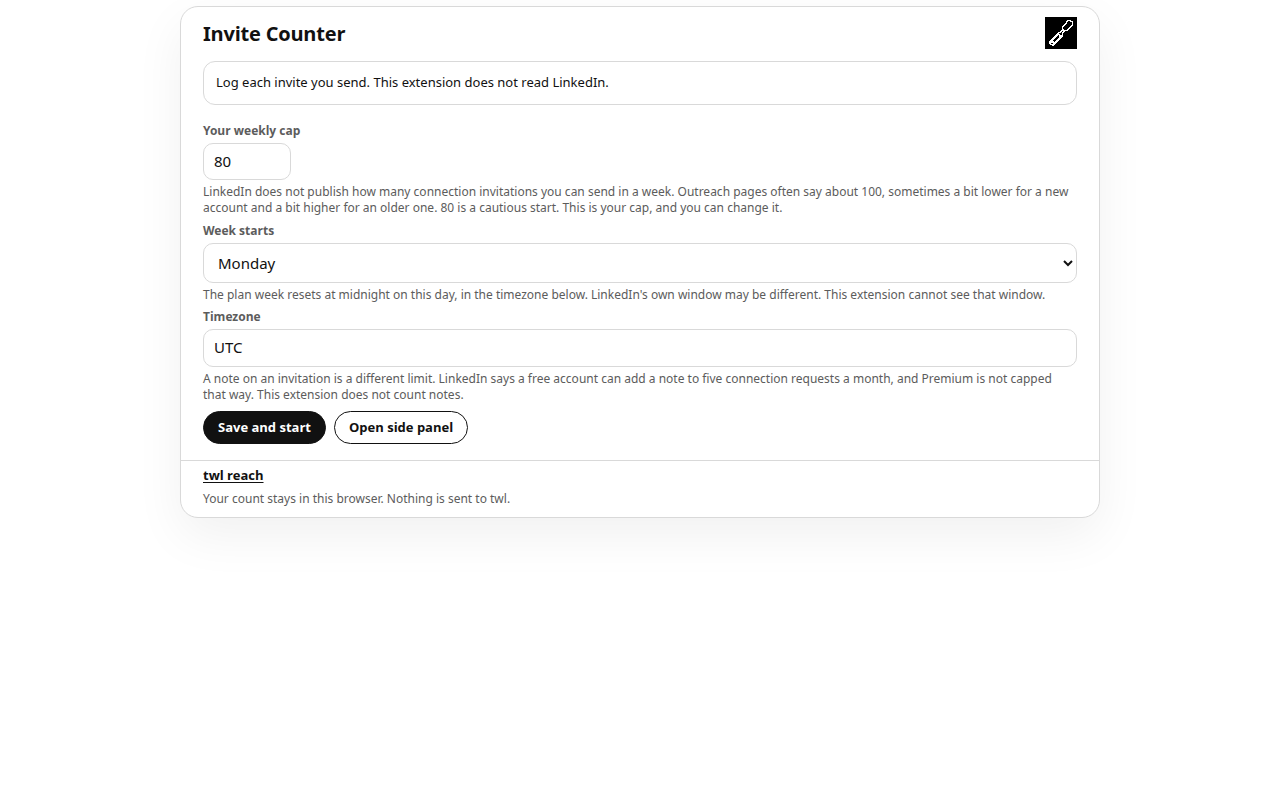
First run. The cap starts at 80. You choose the weekday and the timezone. The note says the extension does not read LinkedIn. 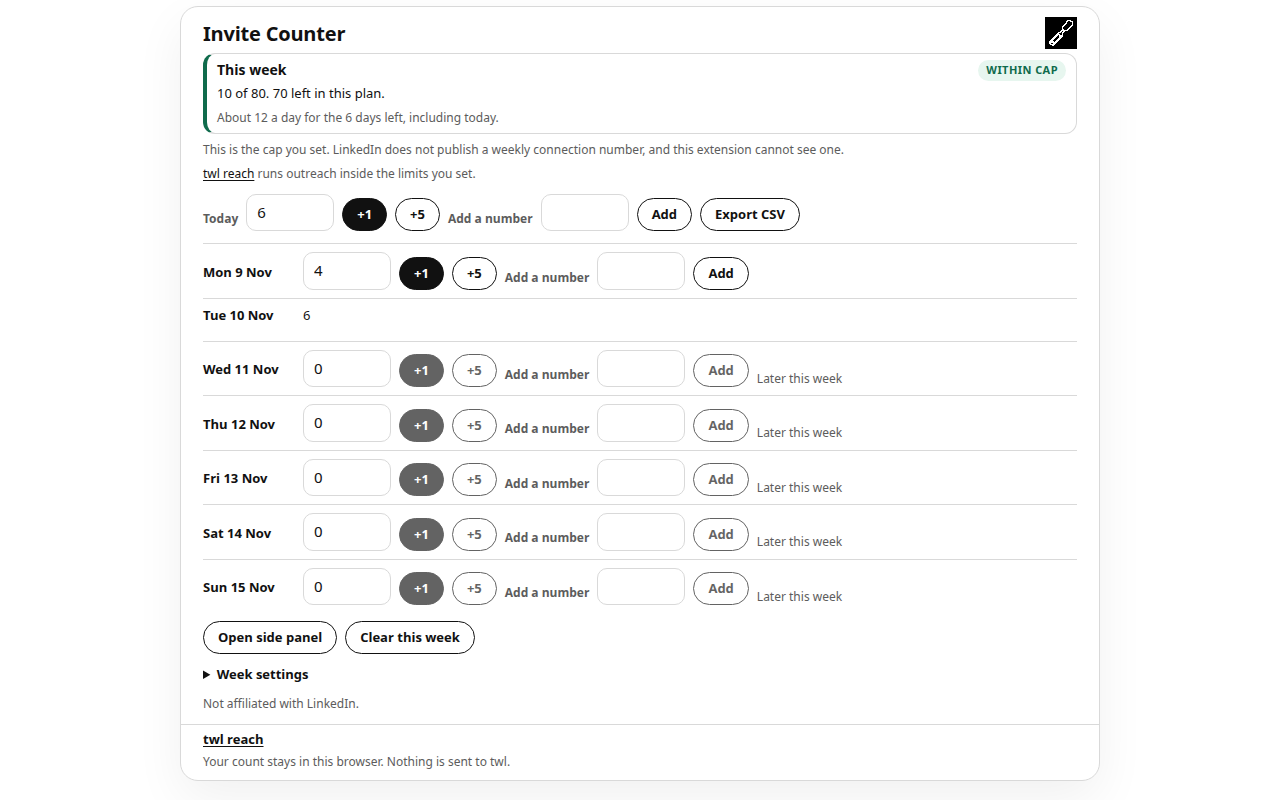
Inside the cap. Tap +1, tap +5, add a number, or edit a day. Later days this week stay closed. 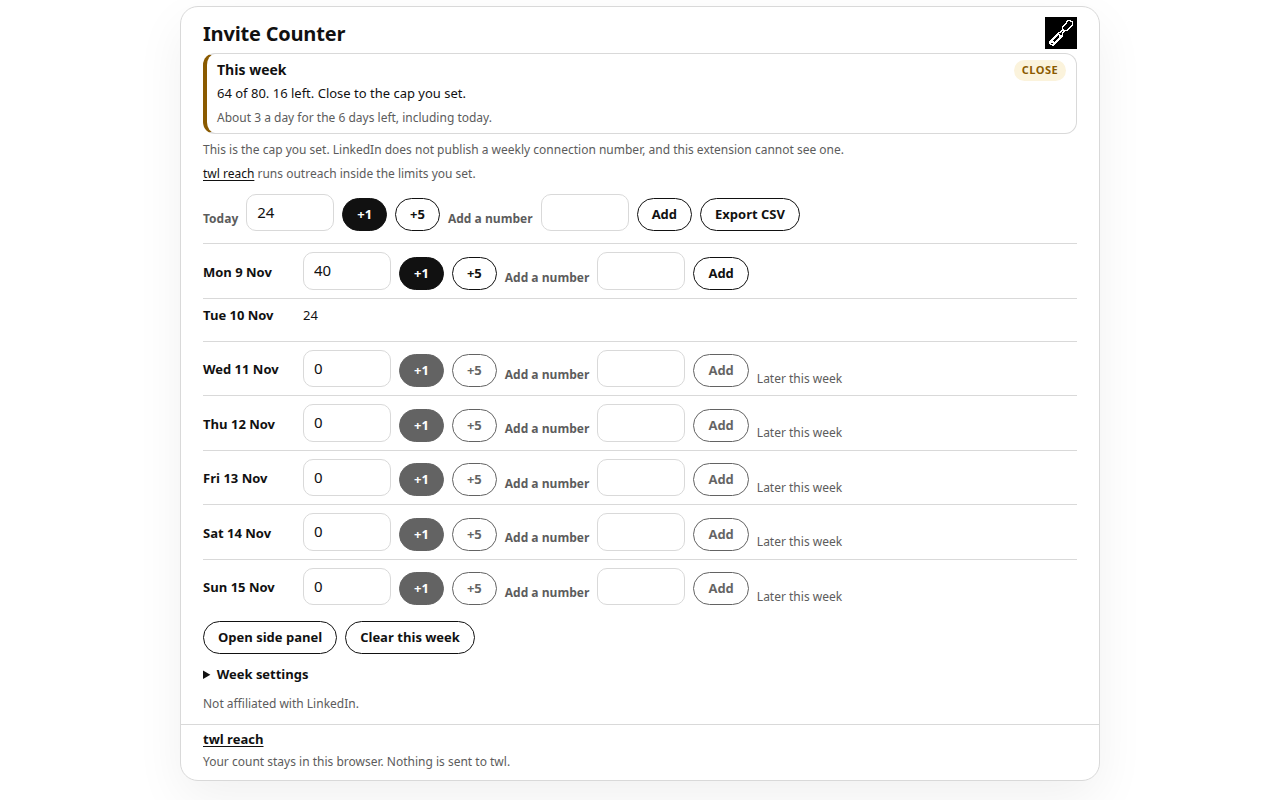
Close to the cap you set. The extension only knows the numbers you entered. 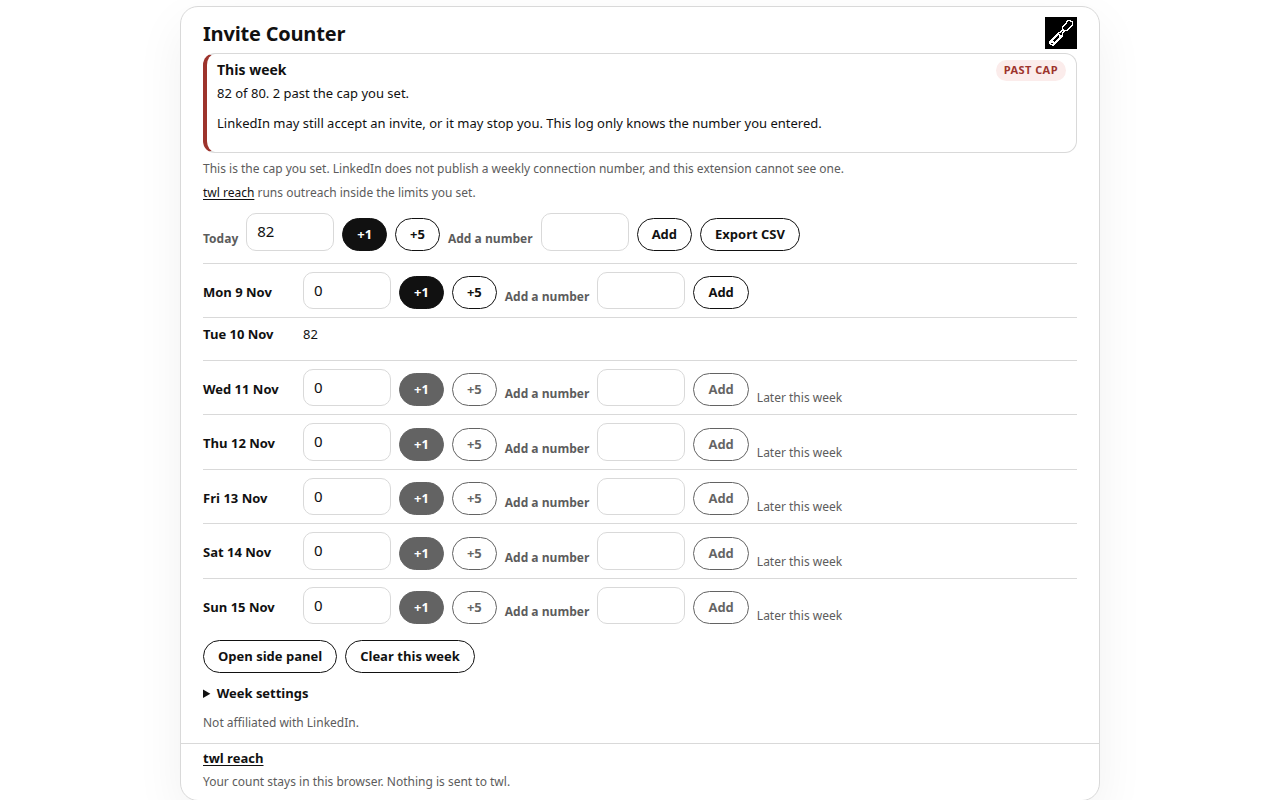
Past the cap. +1 still works. The note says the log only knows the number you entered.
Get the Chrome extension
LinkedIn Invite Counter by twl is a free Chrome extension. The Chrome Web Store listing will be linked on this page after it is published. There is no store URL here yet.
The same log opens in the side panel. The toolbar click still opens the popup. twl reach runs outreach inside limits you set. The privacy note describes the same limits.
How it works
- Set a weekly cap, the weekday the plan week starts, and the timezone. The cap starts at 80. LinkedIn does not publish an official weekly number.
- After you send a connection invite, tap +1, tap +5, add a number from 1 to 50, or edit that day. Later days this week stay closed.
- The week resets at midnight on the weekday you chose, in the timezone you chose. The tally stays in chrome.storage.local. Nothing is sent to twl.
Questions
Does LinkedIn publish an official weekly connection limit?
No. LinkedIn does not publish an official weekly number. The cap in LinkedIn Invite Counter by twl starts at 80, and you can change it. The extension cannot see that window. The connection limit checker on this site is a separate planning range, not an official quota.
Does LinkedIn Invite Counter by twl read or automate LinkedIn?
No. It does not read LinkedIn, it does not press buttons on LinkedIn, and it does not request access to linkedin.com. You tap +1, tap +5, add a number from 1 to 50, or edit a day. There is no content script and no network request.
Where does the weekly tally stay?
In chrome.storage.local on your device. The extension stores the cap, the weekday, the timezone, and a count for each day you log. It does not send the tally to twl. There is no account and no analytics.
Which permissions does the extension use?
storage, alarms and sidePanel only. storage keeps the tally. The alarms permission wakes the extension at the next local midnight so the week can roll over while the popup is closed. sidePanel opens the same log beside the window. It does not request access to any website.
When does the LinkedIn weekly invitation limit reset?
The plan week resets at midnight on the weekday you choose, in the timezone you choose. The weekday starts on Monday until you change it. Days later in the current plan week stay closed. LinkedIn may use a different window. This extension cannot see that window.
Where is the Chrome Web Store link?
The listing will be linked on this page after it is published. Until then there is no store URL here and no download button. The extension is free.